Minneapolis small businesses
Use the city-level route when local buyers need managed IT, remote help desk, Microsoft 365 support, provider comparison, security, networking, or project planning in Minneapolis.
View Minneapolis IT support
Pierce Computer Consulting helps Minnesota small businesses get out of reactive IT mode with responsive user support, remote IT help, Microsoft 365 administration, employee onboarding and offboarding support, cybersecurity guidance, backup validation, networking support, provider comparison help, free IT assessment routing, and a practical roadmap for fewer surprises.
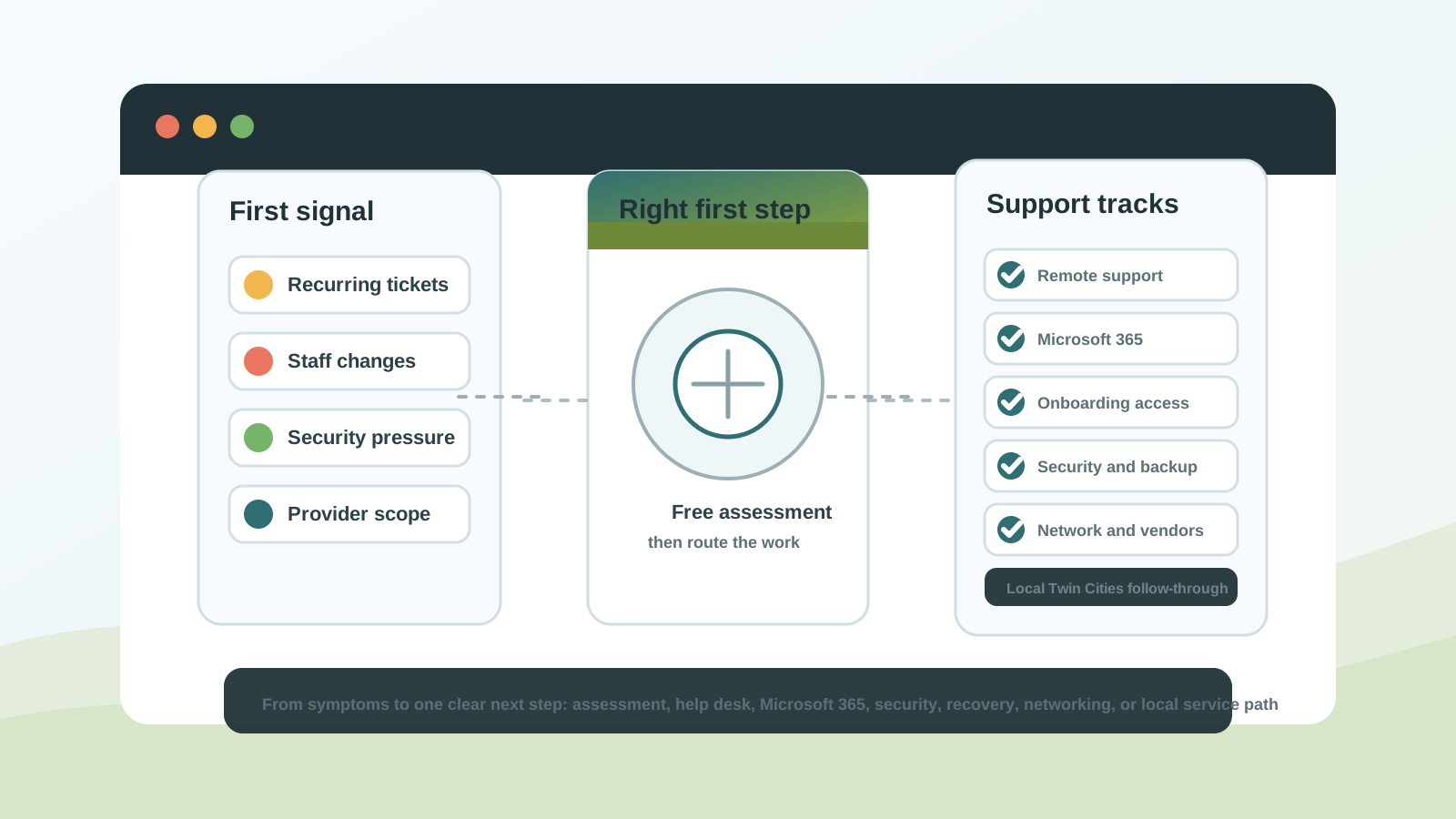
Small teams often need a support plan that starts remotely, then routes into local follow-through when hardware, networking, office changes, or vendor coordination needs hands-on work. Choose the closest Minnesota path when location is part of the decision.
Use the city-level route when local buyers need managed IT, remote help desk, Microsoft 365 support, provider comparison, security, networking, or project planning in Minneapolis.
View Minneapolis IT supportUse the metro route when the team works across multiple offices, hybrid locations, vendors, or service areas and needs remote support with local follow-through.
View Twin Cities IT supportUse the St. Paul route when east-metro teams need a nearby path for help desk coverage, Microsoft 365 cleanup, device support, networking, or provider comparison.
View St. Paul IT supportUse the Bloomington route when south-metro or Hennepin County teams need local routing for managed IT, remote support, cybersecurity, backup readiness, or office changes.
View Bloomington IT supportUse the Edina route when west-metro teams need local support for provider comparison, Microsoft 365 administration, security evidence, networking, or growth planning.
View Edina IT supportUse the Andover route when north-metro and Anoka County teams need local follow-through for managed IT, remote support, Microsoft 365, cybersecurity, recovery, networking, or provider decisions.
View Andover and Anoka County IT supportSmall businesses often arrive with symptoms rather than a service name: slow computers, recurring Microsoft 365 issues, remote staff friction, unreliable Wi-Fi, security questionnaire pressure, unclear IT support pricing, new-hire or departure access risk, a provider proposal that is hard to compare, or a vendor outage nobody owns. Start with the situation below and move into the most useful service page or free assessment path.
Use the free IT assessment when the business has recurring issues, security questions, provider uncertainty, Microsoft 365 friction, or a budget decision but the right service path is not clear yet.
Request a free IT assessmentUse managed IT when tickets, device problems, vendor questions, backups, and Microsoft 365 support need one accountable operating rhythm.
Compare managed IT servicesUse remote IT support when hybrid staff, user access, workstations, Microsoft 365 issues, vendor tickets, or recurring help desk requests need quick triage.
Start remote IT supportUse the provider comparison guide when response paths, security ownership, backup responsibility, Microsoft 365 administration, or proposal scope is unclear.
Compare provider scopeUse pricing and assessment resources when leadership needs to compare support coverage, project boundaries, recurring issues, and risk before choosing a provider.
Review IT support pricing factorsUse emergency IT support when internet, a server, a workstation, Microsoft 365, or a vendor system is interrupting work right now.
Start emergency supportUse cybersecurity services when MFA, ransomware readiness, backup validation, endpoint protection, or cyber insurance evidence needs attention.
Review cybersecurity helpUse Microsoft 365 support for Outlook, Teams, SharePoint, OneDrive, licensing, user onboarding, permissions, and account security.
Fix Microsoft 365 frictionUse onboarding and offboarding IT support when new hires, departures, mailbox handoffs, device setup, MFA, stale accounts, or license cleanup need a repeatable process.
Secure staff changesUse networking support when cabling, Wi-Fi, switches, VoIP phones, internet handoffs, or vendors are creating avoidable disruption.
Improve network reliabilityUse office move IT support when cabling, Wi-Fi, VoIP, internet, Microsoft 365 access, devices, and vendor timing need to work before staff arrive.
Plan the move IT workThe best time to choose an IT partner is usually before the next outage, insurance renewal, provider renewal, hiring wave, remote-work change, or office move forces the issue. These are common signals that Minnesota small businesses are ready to compare support models instead of treating every problem as a one-off ticket.
Recurring tickets, repeated vendor handoffs, undocumented systems, and unclear escalation paths usually mean the business needs a more predictable support model.
Owners and operations leaders need simple visibility into downtime, ticket patterns, Microsoft 365 risks, backups, vendors, staff-change access gaps, and the next budget priorities.
Provider renewals, MSP proposals, phone or internet contracts, and security tool renewals are easier to compare when response expectations and responsibility boundaries are clear.
Cyber insurance renewals, client questionnaires, bank requests, and vendor reviews can expose gaps in MFA, backups, endpoint protection, permissions, and recovery evidence.
New staff, employee departures, remote work, additional locations, office changes, phone changes, device turnover, and more cloud apps make it harder for a small team to rely on ad hoc support.
A useful first conversation does not need a perfect inventory. It does help to bring the context that shows what is broken, who is affected, what vendors already know, and who can approve the next step.
Share what is interrupting work, whether it is urgent, which deadline or renewal is driving the conversation, and what would count as a useful first outcome.
Note which users, roles, offices, remote staff, shared workstations, phones, printers, Wi-Fi areas, or other devices are involved so support can triage the right scope.
Gather Microsoft 365 tenant or account context, vendor names, support tickets, renewal notices, proposal details, screenshots, and recent error messages when available.
Flag recent hires, departures, software changes, internet or phone updates, security questionnaire requests, cyber insurance follow-up, backup alerts, or unusual sign-in concerns.
Identify who can approve the next step, whether the goal is urgent repair, remote support, Microsoft 365 cleanup, provider comparison, managed IT planning, or a scoped project.
Document users, devices, vendors, backups, Microsoft 365, remote access, and the systems that keep revenue moving so support can respond faster.
Tighten the controls attackers and insurers check first: MFA, admin access, endpoint protection, backup testing, and offboarding.
Translate IT problems into business impact so owners can prioritize what to fix now, what to plan next, what belongs in a managed IT plan, and what should be scoped as a separate project.
Many Minneapolis small businesses do not need a large internal IT team, but they do need dependable ownership. Pierce Computer Consulting gives leaders a clear support path, remote-first response when speed matters, technical escalation when issues get complex, and local coordination when hardware, networking, or vendors require hands-on work in the Twin Cities metro.
The goal is practical progress: fewer repeated tickets, cleaner Microsoft 365 administration, better backup confidence, stronger security defaults, clearer provider scope, safer staff-change routines, and a support model that fits the size of the team.
Start with the problem creating the most business friction. Recurring tickets usually point to managed IT, active outages need emergency support, Microsoft 365 problems need tenant and user support, security or insurance pressure needs cybersecurity help, and unreliable Wi-Fi or phones usually point to networking support. If the right path is not clear, a free IT assessment can help prioritize the first step.
Yes. A free IT assessment, Microsoft 365 cleanup, emergency support request, remote support issue, cybersecurity review, backup review, staff onboarding or offboarding process, networking project, office move plan, or pricing conversation can clarify the current state before deciding whether ongoing managed IT is the right fit.
Gather the business problem and timing, affected users and locations, devices or systems involved, Microsoft 365 or vendor context, existing tickets or screenshots, recent staff or system changes, security or insurance deadlines, business impact, and the person who can approve the next step.
Compare how each provider handles response paths, Microsoft 365 ownership, cybersecurity basics, backup testing, vendor coordination, documentation, on-site escalation, project boundaries, reporting, and pricing assumptions. The best fit should make responsibility clear before a problem interrupts work.
Yes. Remote IT support can help with user access, workstation issues, Microsoft 365 troubleshooting, vendor coordination, recurring help desk patterns, and quick triage before deciding whether on-site Twin Cities work or a managed plan is needed.
Small businesses should make new-hire setup and employee departures repeatable: Microsoft 365 accounts, MFA, device access, mailbox handoffs, license cleanup, shared file access, vendor access, and stale-account review should all have clear ownership before staff changes become urgent.
Bring IT planning in before the move date is fixed if cabling, Wi-Fi, phones, internet handoffs, Microsoft 365 access, device placement, printers, security tools, or vendor timing could affect day-one productivity.
Yes. Pierce Computer Consulting starts remote-first for speed and coordinates on-site work across Minneapolis, St. Paul, Bloomington, Edina, Andover, Anoka County, and the Twin Cities metro when hardware, networking, cabling, device deployment, or vendor coordination requires hands-on support.
A practical support plan gives users a clear help path, documents systems and vendors, keeps Microsoft 365 and security settings maintained, validates backups, and gives leadership a roadmap for reducing downtime, risk, and surprise costs.
Share what is slowing your team down, who is affected, which systems or vendors are involved, any deadline or security pressure, and who owns the decision. We will help map the right first step for your Minneapolis, St. Paul, Bloomington, Edina, Andover, Anoka County, or Twin Cities business.