Productivity support
Resolve Outlook, Teams, SharePoint, OneDrive, mailbox, calendar, sign-in, and sync issues that slow staff down during the workday.

Pierce Computer Consulting keeps Microsoft 365 useful, secure, and predictable for Minneapolis, Bloomington, Edina, and Twin Cities teams that depend on Outlook, Teams, SharePoint, OneDrive, cloud identity, and staff access every day.
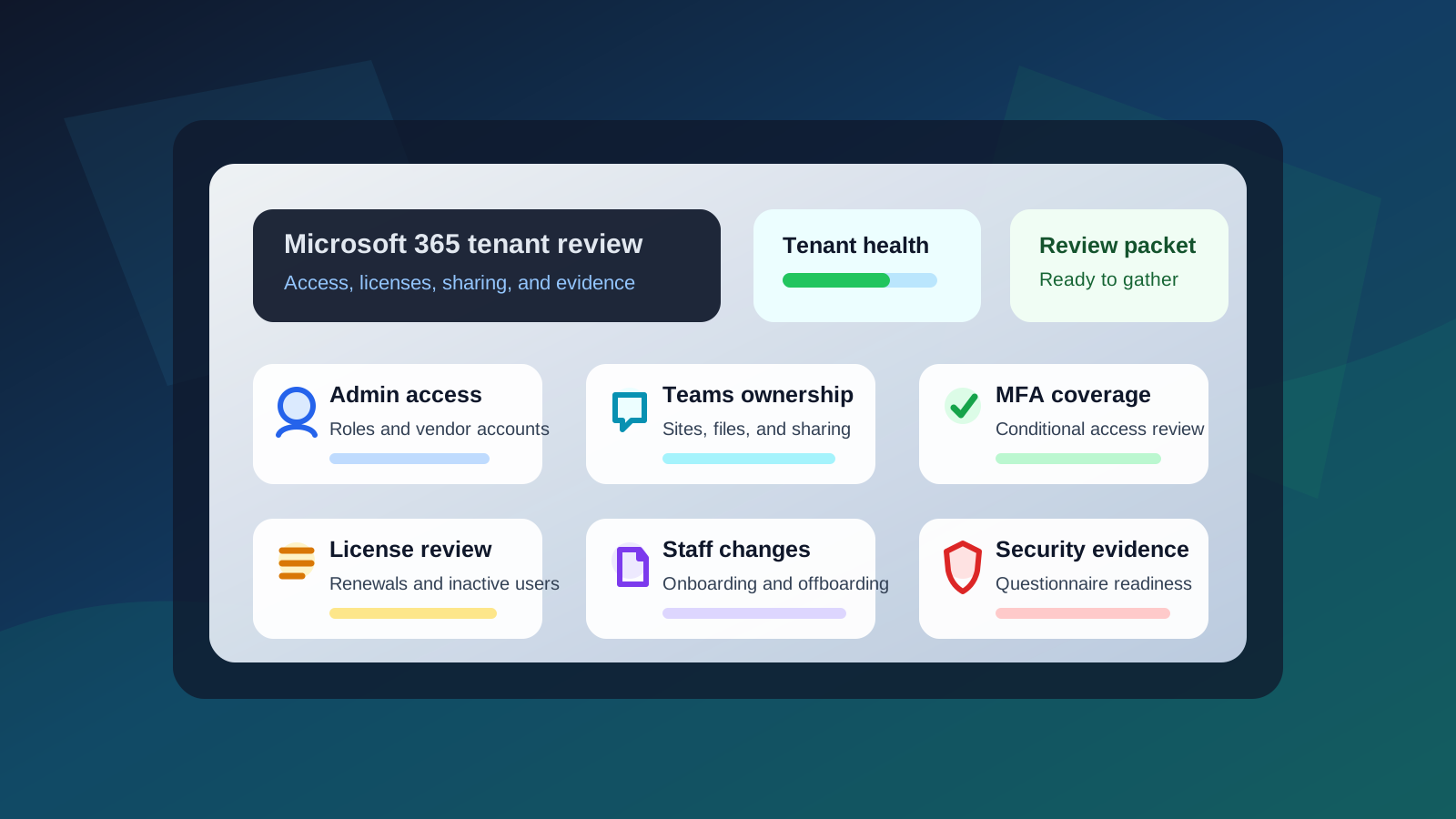
Resolve Outlook, Teams, SharePoint, OneDrive, mailbox, calendar, sign-in, and sync issues that slow staff down during the workday.
Tighten MFA, conditional access, admin roles, external sharing, audit logging, recovery settings, and user lifecycle controls.
Review licensing, inactive accounts, duplicate tools, and retention needs so Minnesota leaders can plan Microsoft spend with fewer surprises.
We align Microsoft 365 with your Minneapolis workflows so staff can collaborate safely while leadership gets clearer reporting and risk visibility. That includes practical decisions about group ownership, external sharing, device access, account recovery, and when to archive or retain business data.
We review SharePoint, Teams, mailbox, and admin access so the right people have access without unnecessary exposure.
We help with sign-in issues, mailbox problems, Teams meetings, file sync, onboarding, and device access.
We tighten MFA, conditional access, legacy authentication, audit logging, and recovery settings in plain business language.
Microsoft 365 problems often start as one symptom but point to a different buying question: a free tenant assessment, remote support need, provider-scope gap, security evidence request, office change, or recurring managed IT responsibility. These paths help Minnesota teams choose the right next conversation without turning every issue into a broad project.
Start with a free IT assessment when Microsoft 365 friction, admin access, MFA gaps, licensing waste, SharePoint ownership, staff changes, or security evidence questions need prioritizing before a support plan.
Request a free Microsoft 365 assessmentStart here when staff need help with sign-ins, MFA prompts, Outlook, Teams meetings, SharePoint permissions, OneDrive sync, or mailbox access and the issue can be triaged without an onsite visit.
Remote IT support in MinnesotaUse this path when new hires, departures, role changes, mailbox handoffs, MFA setup, stale accounts, device access, or license cleanup need a repeatable Microsoft 365 workflow.
Plan staff-change IT supportUse this path when a monthly IT proposal is unclear about Microsoft 365 administration, licensing, security evidence, backups, user changes, Teams cleanup, or SharePoint ownership.
Compare IT support providersReview what belongs in recurring support versus a one-time project before approving tenant cleanup, migration work, security changes, SharePoint structure, or licensing changes.
Review IT support scopeBring Microsoft 365 into move planning when access, devices, Teams phones, Wi-Fi, printers, shared files, and onboarding need to work cleanly on day one.
Plan office move IT supportMicrosoft 365 issues usually start remotely, but the fix often depends on where staff work, which office is changing, who owns devices, and whether network, vendor, or onboarding follow-through needs local coordination. These paths help Minnesota teams choose the most relevant service-area route before they schedule a consultation.
Use this path when Microsoft 365 support needs to connect with managed IT, remote help desk, cybersecurity, backup, networking, or office change planning for a Minneapolis-based team.
Microsoft 365 support for Minneapolis teamsUse the St. Paul path when tenant cleanup, secure access, user changes, licensing, Teams, SharePoint, or vendor follow-through should map back to an east-metro support route.
Microsoft 365 support for St. Paul teamsUse the Bloomington path when tenant cleanup, user changes, SharePoint access, Teams issues, licensing, or device follow-through should map back to a local south-metro support route.
Microsoft 365 support in Bloomington MNUse the Edina path when Microsoft 365 administration, secure access, executive support, office workflows, or vendor coordination needs a west-metro support context.
Microsoft 365 support in Edina MNUse the north-metro path when Microsoft 365 administration, staff changes, device follow-through, office access, or vendor coordination needs a local Andover and Anoka County support context.
Microsoft 365 support in Andover and Anoka CountyUse the broader metro path when users, offices, vendors, or devices span multiple locations and Microsoft 365 support needs one clear operating rhythm.
Microsoft 365 support across the Twin CitiesA Microsoft 365 review is especially useful before a license renewal, cyber insurance questionnaire, client security review, staff expansion, acquisition, office move, or SharePoint cleanup project. PierceCC helps Minnesota teams separate quick support issues from the tenant-wide decisions that affect security, budget, and business continuity.
Compare licenses, inactive users, shared mailboxes, add-ons, and support expectations before another Microsoft renewal locks in avoidable cost.
Check MFA coverage, admin roles, external sharing, recovery paths, mailbox access, and backup assumptions before answering a carrier or client security request.
Standardize onboarding, offboarding, group ownership, device access, and file permissions before a larger team makes informal processes harder to unwind.
A cleaner first conversation starts with the few facts that show why the tenant needs attention now. Bring what you have; PierceCC can help turn incomplete notes, tickets, renewal pressure, or security requests into a practical cleanup plan for Minnesota teams.
List current administrators, vendor accounts, emergency access accounts, delegated roles, and who can approve billing, security, Exchange, SharePoint, Teams, or Entra ID changes.
Bring recent hires, departures, role changes, mailbox handoffs, stale accounts, guest users, service accounts, and any access that may no longer have a clear business owner.
Share MFA gaps, conditional access questions, legacy sign-in concerns, audit logging, recovery methods, and any cyber insurance or client security questionnaire language.
Identify SharePoint sites, Teams workspaces, OneDrive ownership, external sharing, mailbox delegation, and groups where permissions or owners are unclear.
Gather renewal dates, inactive users, duplicate tools, add-ons, retention expectations, and budget questions leadership wants answered before the next Microsoft renewal.
Summarize repeated Outlook, Teams, SharePoint, OneDrive, sign-in, sync, or mailbox tickets that show where tenant cleanup is becoming a business issue.
A focused review moves faster when the first conversation includes the people, permissions, renewal timing, and evidence that shape the tenant. These details help PierceCC route the work into quick support, tenant cleanup, security hardening, staff-change workflows, managed IT, or a provider-scope review.
Many Minnesota teams come to Microsoft 365 support after years of quick fixes, staff changes, and one-off projects. We help clean up the tenant before another license renewal, migration, audit, or security rollout adds more complexity.
Identify inactive users, duplicate licenses, unused apps, stale mailboxes, and service accounts that should be owned and documented.
Review owners, permissions, external sharing, site purpose, and document structure so collaboration spaces stay understandable.
Tighten onboarding and offboarding so access, mailbox delegation, device sign-in, MFA, and file ownership are handled consistently.
Microsoft 365 works best when it is not treated as a one-time setup. We fold administration into recurring managed IT routines: user changes, security reviews, backup checks, license cleanup, and support reporting that gives Minnesota business leaders a cleaner view of cloud risk.
Teams, SharePoint, and OneDrive work better when ownership, external sharing, and permissions are reviewed before access sprawls.
Documented onboarding and offboarding reduce delays, orphaned access, mailbox confusion, and license waste.
Minnesota leaders get a practical view of licensing, security posture, backup expectations, and support trends.
Common needs include Outlook and Teams troubleshooting, SharePoint permissions, OneDrive sync issues, user onboarding and offboarding, license cleanup, MFA, conditional access, mailbox recovery, and administrator reporting.
Yes. We review users, licenses, groups, Teams, SharePoint sites, mailbox access, admin roles, external sharing, and security settings so the tenant is easier to support, secure, and budget for.
Yes. We phase changes around business impact, starting with settings such as MFA, legacy authentication, admin roles, external sharing, audit logging, and account recovery so security improves without surprising users.
Yes. We help define ownership, permissions, naming, external sharing, retention, and document structure so Teams and SharePoint stay useful as the organization grows.
Yes. A free IT assessment is a useful first step when Minnesota leaders see Microsoft 365 risk or friction but are not sure whether the next move is tenant cleanup, managed IT, remote support, staff-change workflow cleanup, licensing review, security evidence, or provider-scope comparison.
Yes. We can help Minnesota teams review licenses, administrator roles, MFA coverage, external sharing, mailbox access, backup expectations, and user-change processes before a renewal, audit, cyber insurance questionnaire, or client security review.
Useful context includes current admin users, shared mailboxes, guest users, recent staff changes, MFA gaps, license renewals, security questionnaire requests, SharePoint or Teams ownership concerns, vendor access, and any support tickets that show recurring Microsoft 365 friction.
Yes. PierceCC can help Minnesota businesses compare whether Microsoft 365 administration, security evidence, user changes, licensing, backups, and Teams or SharePoint cleanup are clearly included in a provider proposal or monthly support agreement.
Many Microsoft 365 issues can start with remote support, including sign-in problems, mailbox access, Teams and SharePoint troubleshooting, MFA changes, license cleanup, and admin reviews. When the issue points to devices, Wi-Fi, phones, or office network changes, we can route the next step accordingly.
Yes. PierceCC supports Microsoft 365 for Minneapolis, Bloomington, Edina, Andover, Anoka County, St. Paul, and broader Twin Cities teams, with remote administration for tenant issues and local service-area routing when devices, networks, vendors, onboarding, or office changes need coordinated follow-through.
Microsoft 365 administration can be included in managed IT services, which adds recurring reviews, user-change handling, backup checks, license optimization, security reporting, and help desk support for everyday issues.
Tell us what is slowing your team down, what changed recently, and whether the question involves admin access, licensing, security evidence, staff changes, or SharePoint and Teams ownership. We will map the next steps for secure Microsoft 365 support in Minneapolis, Bloomington, Edina, St. Paul, and across the Twin Cities.